Samsung Galaxy Watch4 Classic - Activate / Set Up Device
If the Galaxy Watch was purchased outside of Verizon, contact us to start a line of service for your device.
-
The Galaxy Watch4 Classic can be set up via Number Share. To set up with Number Share, the companion smartphone must be activated on the same Verizon account as the Galaxy Watch4 Classic.
-
If you're replacing an existing Samsung smartwatch, refer to Replace Existing Device.
-
If you're pairing an existing Samsung smartwatch with a new Android smartphone, refer to Connect to New Phone.
-
Before completing the steps below, verify:
-
your companion Android™ smartphone has a cellular or Wi-Fi connection.
-
you're in a Verizon coverage area.
-
your eSim activation has been processed.
Samsung Galaxy Watch4 Classic - Activate / Set Up Device
-
Ensure the Galaxy Watch4 Classic is charged and powered on.If necessary, tap the watch display to begin.
-
Install the Galaxy Wearable app on the companion Android smartphone.
-
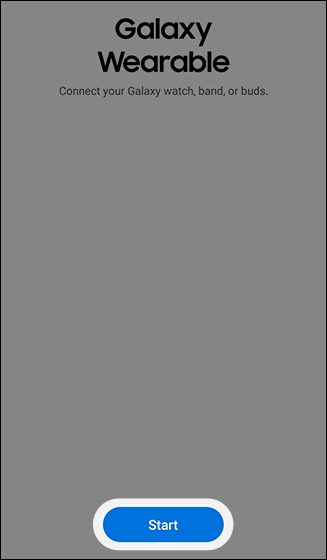
Open theGalaxy Wearable app.
-
TapStart.
-
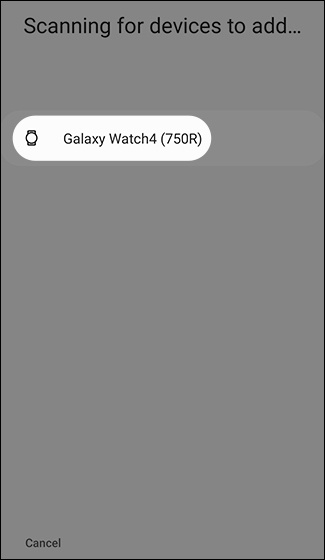
TapGalaxy Watch4 Classic.If prompted, tapAllowto approve the necessary permissions.
-
Ensure the passkey matches what's displayed on the Galaxy Watch4 Classic then tapConfirm.
-
If using a non-Samsung Android smartphone to complete setup, tapOKthen tapInstallto allow the Gear Plugin and Samsung Accessory Service to install.If Samsung Accessory Service does not auto-install, it can searched and downloaded from the Google Play™ Store.
-
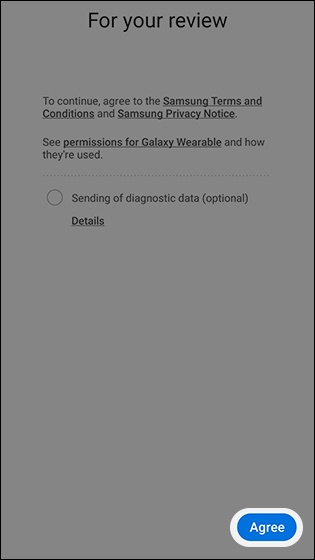
To continue, review the Samsung Terms and Conditions and Samsung Privacy Notice then tapAgree.
-
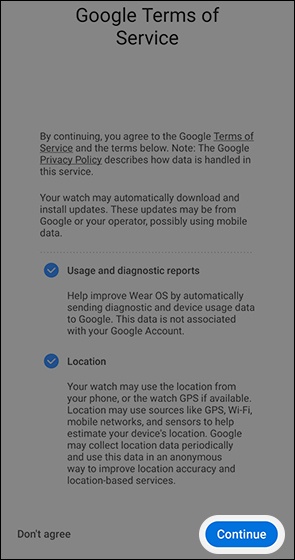
Review the Google Terms of Service then tapContinue.
-
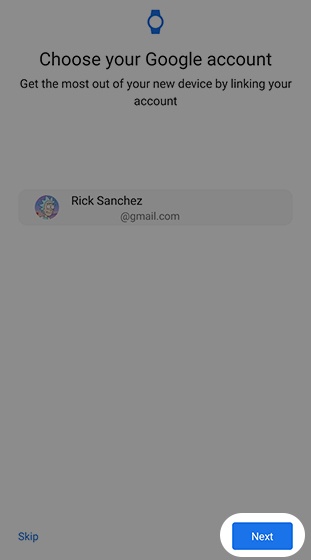
Choose your Google™ account then tapNext.
-
TapCopyto copy your Google accounts to your watch.If prompted, enter your Google password.
-
TapNextto restore your watch from a backup.
-
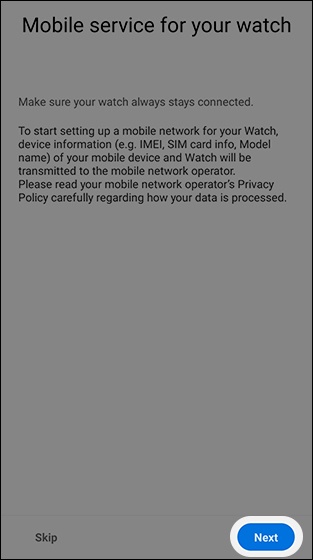
TapNextto start setting up a mobile network for your watch.You will need to enter your My Verizon username and password to continue.If you skip this step, you can add a cellular plan later.
-
Follow on-screen steps to select the desired plan.Options vary by account plan.
-
From the Watch, tapStartto take a tour of your Watch.
https://www.verizon.com/